 Telehub
Can You Use Telegram Anonymously?
Yes, Telegram allows users to remain far more private than many other messaging platforms.
Even though Telegram requires a phone number during account creation, you do not have to publicly display that number to other users.
Instead, Telegram lets users communicate through:
usernames
private groups
channels
invite links
hidden contact settings
This makes it possible to interact with communities without constantly exposing personal information.
Many users choose Telegram specifically because it offers:
Privacy Feature | Benefit |
|---|---|
Hidden phone numbers | Better anonymity |
Username communication | Safer public interaction |
Private groups | Controlled access |
Selective visibility | More account control |
These features help users separate their public identity from their personal information more effectively.
How to Hide Your Phone Number on Telegram
One of the most important privacy settings on Telegram is phone number visibility.
To hide your number:
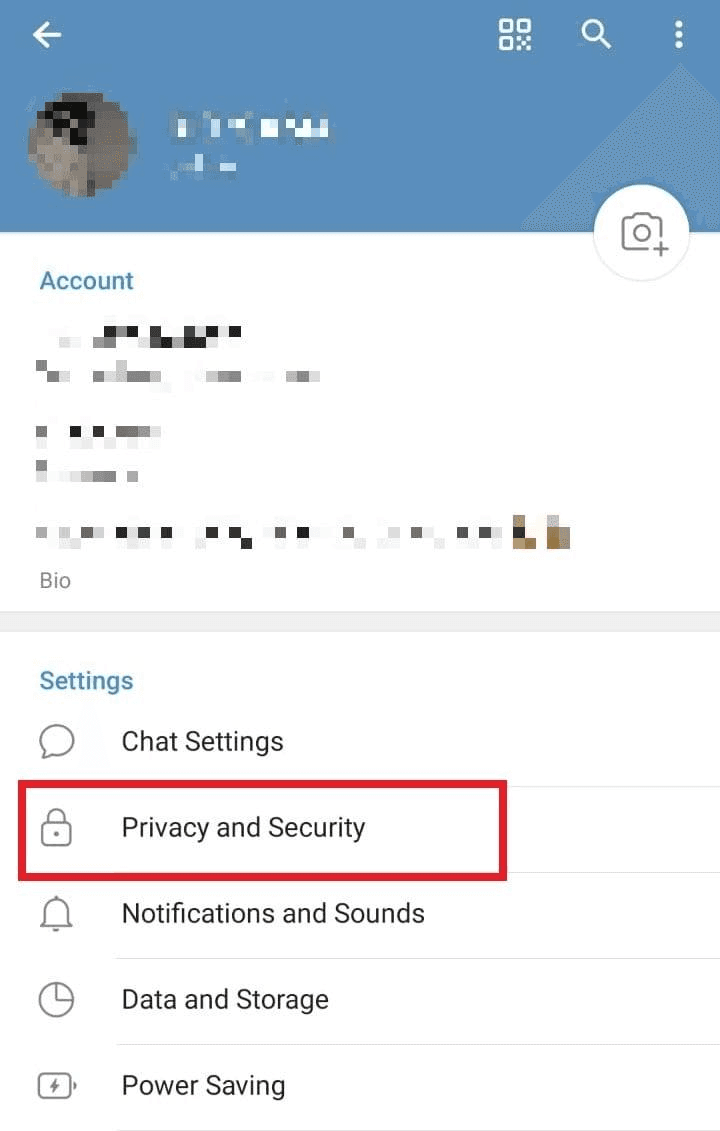
Open Settings
Go to Privacy and Security
Tap Phone Number
Change visibility to:
Nobody
or My Contacts
You can also create exceptions for specific users.
Once hidden, other people can still contact you through your username without seeing your actual number.
This is one of the biggest reasons Telegram feels more anonymous than many messaging apps.
Using a Username Instead of Your Real Identity
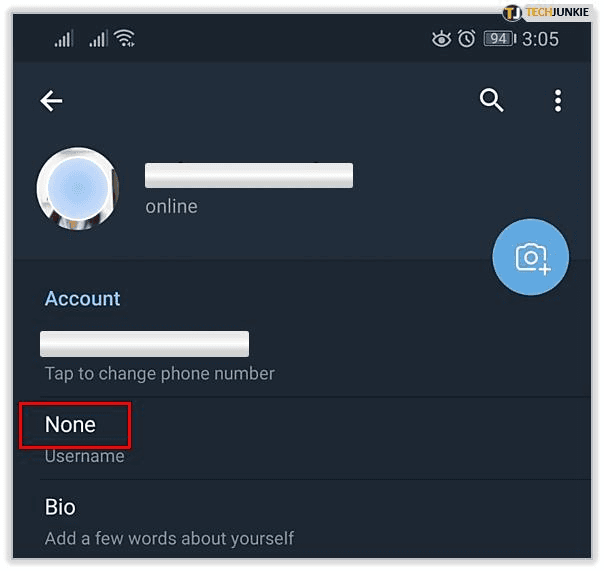
Telegram usernames make anonymous communication much easier.
Instead of sharing your number, you can create a public username like:
People can search for your username and message you directly without accessing your phone number.
Many users choose usernames that:
do not contain their real name
separate personal and public identities
match their online brand or community
This system is widely used across:
Community Type | Why Usernames Matter |
|---|---|
Creator communities | Easier branding |
Gaming groups | Better anonymity |
Crypto communities | Added privacy |
Public channels | Cleaner communication |
Study groups | Simpler networking |
Usernames help users stay reachable while maintaining more control over personal information.
Should You Use a Separate Phone Number?
Some users create anonymous Telegram accounts using a secondary phone number instead of their primary personal number.
This can help separate:
work communication
online communities
creator accounts
public-facing profiles
private conversations
While Telegram still requires a number during registration, using a secondary number can improve separation between identities.
However, users should still follow Telegram’s policies and local laws when creating accounts.
Privacy works best when combined with responsible account management.
How Anonymous Telegram Accounts Are Used
Anonymous Telegram accounts are commonly used for many legitimate reasons.
Common Use Case | Why Privacy Matters |
|---|---|
Online communities | Avoid sharing personal details |
Creator accounts | Separate brand from personal identity |
Crypto discussions | Reduce exposure |
Business networking | Maintain professional boundaries |
Large public groups | Prevent spam |
Many users simply want more control over who can access their information online.
Telegram’s privacy tools make this easier compared with many mainstream messaging apps.
Privacy Features That Improve Anonymity
Telegram includes several additional settings that improve privacy beyond hiding your phone number.
Users can control:
who sees their profile photo
who sees their last seen status
who can invite them to groups
who can call them
who can forward their messages
Telegram Privacy Tool | Purpose |
|---|---|
Last seen controls | Hide activity |
Profile photo visibility | Limit exposure |
Group invite restrictions | Reduce spam |
Call permissions | Improve security |
Forwarding restrictions | Better privacy |
Combining multiple settings gives users much stronger control over their online presence.
How to Stay Safer While Using Telegram Publicly
Even with strong privacy settings, users should still follow good online safety habits.
Helpful recommendations include:
avoid sharing sensitive personal information
use strong passwords
enable two-factor authentication
verify suspicious links
be cautious in large public groups
Large public communities can sometimes attract spam accounts or scams, especially in fast-growing niches like crypto and online business.
Using trusted Telegram directories such as Telehub can help users discover more organized communities instead of relying on random invite links shared across the internet.
This often leads to safer and more relevant communities.
Are Anonymous Telegram Accounts Worth It?
For many users, the answer is yes.
Telegram provides significantly more privacy flexibility than many social and messaging platforms, especially when users properly configure their settings.
Anonymous Telegram accounts are useful for:
protecting personal information
separating online identities
joining public communities safely
reducing spam exposure
maintaining professional boundaries
The most important step is understanding how Telegram privacy settings work and using them intentionally.
As Telegram communities continue growing, more users are choosing platforms that allow communication without exposing unnecessary personal information — one of the main reasons Telegram remains popular in 2026.
Related Articles
Start with the main guide
This subpage belongs to a larger pillar article. Read the main guide for the full overview and related steps.

Telehub reminder